PDF to Markdown
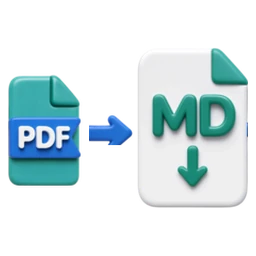
Convert a PDF to clean Markdown with headings, lists and paragraphs. Free, private, in your browser.
Drop a PDF here
We turn its text into Markdown in your browser, ready for docs, notes or AI chats. Nothing is uploaded.
Reads the text already inside the PDF. For scanned PDFs, run OCR PDF first.
Need positions and fonts as data? Use PDF to JSON. Going the other way? Markdown to PDF.
Markdown is the easiest format to drop a document into a wiki, a notes app, a static site, or an AI chat, but PDFs keep their text locked into fixed lines and pages. This converter reads the PDF’s text layer in your browser and rebuilds the structure as Markdown: lines set noticeably larger than the body text become headings, bullet and numbered lines become lists, wrapped lines are joined into paragraphs, and words hyphenated across a line break are rejoined. Running headers, footers, and page numbers that repeat on most pages are removed by default, which keeps the result clean for language models and search indexes. The PDF never leaves your device. The structure is inferred from font sizes and line positions, so headings in PDFs that use the same size for everything will come out as plain paragraphs, and tables become lines of text rather than Markdown tables.
How to convert a PDF to Markdown
- 1Drop a PDF into the box.
- 2Check the Markdown preview; headings, lists, and paragraphs are inferred automatically.
- 3Untick Remove repeated headers and footers if you want to keep them, or tick Mark page breaks.
- 4Click Download .md, or copy the Markdown to your clipboard.
Convert a PDF to Markdown
Convert PDF to Markdown for an LLM
Headings, lists, and paragraphs are kept as Markdown and repeated page furniture is removed, so the document fits cleanly into a chat or a retrieval index.
PDF to MD with headings and lists
Short lines set larger than the body text become #, ##, or ### headings; lines starting with bullets or numbers become list items.
Convert a PDF to Markdown without uploading it
The text is read with pdf.js inside your browser tab. Nothing is sent to a server, which matters for internal documents and contracts.
Use cases
- Feed a PDF report into ChatGPT, Claude, or another AI tool as clean Markdown.
- Move PDF documentation into a wiki, Notion, Obsidian, or a static site.
- Turn a PDF handout into editable lecture notes.
- Prepare PDFs for a retrieval (RAG) index.
Technical details
- Headings are inferred from font size relative to the body text: about 1.6x or larger becomes #, 1.3x ##, 1.12x ###.
- Bullets (•, ▪, -, – and similar) and numbered lines (1. or 1)) become list items.
- Tables come out as lines of text, and links and images are not included.
- Reads the existing text layer only; run scanned PDFs through OCR PDF first. Password-protected PDFs must be unlocked first.
Processing on your device
Supported file processing happens in your browser without a document upload for processing.
Free access
No paywall, no premium tier, no hidden fees.
Check the result
Keep the original and inspect the output before using or sharing it.
No Watermarks
No sign-up, no branding, no watermark on your output.
Frequently asked questions
Does it convert tables to Markdown tables?
No. Table cells come out as lines of text. Headings, bullet and numbered lists, and paragraphs are converted.
Why are there no headings in my Markdown?
Headings are detected from font size. If the PDF sets headings in the same size as the body text, they come out as ordinary paragraphs.
Do these tools work offline?
Once the page has loaded, most tools run entirely in your browser without an internet connection. Your files and data never leave your device.
Does this upload my file?
No. Your file stays on your device the whole time. LoveMyFile runs entirely in your browser, so nothing is uploaded to a server, queued in the cloud, or copied off your computer.
Is this free?
Yes. Every tool is free and unlimited — no account, no paywall, and no daily caps. Because the work happens locally in your browser, there are no per-file or per-page charges.
Does it work offline?
Yes. Once the page has loaded, the tools run entirely in your browser, so you can disconnect from the internet and keep working. AI-powered tools download a small model on first use and then also run offline.