PDF to Text
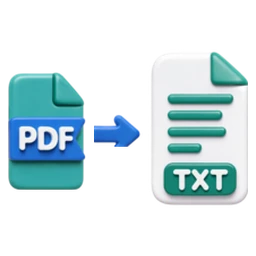
Extract all the text from a PDF as a plain .txt file. Free, private, in your browser.
Drop a PDF here
We read its text in your browser and give you a plain .txt file. Nothing is uploaded.
Reads the text already inside the PDF. For scanned PDFs, run OCR PDF first.
Need positions and fonts as data? Use PDF to JSON. Going the other way? Markdown to PDF.
Copying text out of a PDF page by page breaks lines in odd places, drags in page numbers, and is slow for anything longer than a page or two. This converter reads the PDF’s text layer with pdf.js in your browser and writes the whole document as a plain .txt file. Lines are kept as they appear in the PDF, paragraphs are separated by a blank line, and running headers, footers, and page numbers that repeat on most pages can be removed automatically. You can preview the result, copy it to the clipboard, or download it. The PDF is never uploaded. Scanned PDFs that are only images of text have no text layer to read; run them through OCR PDF first. Complex layouts such as tables and multi-column pages follow the PDF’s own reading order, so check those parts of the output.
How to convert a PDF to a text file
- 1Drop a PDF into the box.
- 2Choose whether to remove repeated headers and footers and whether to mark page breaks.
- 3Check the preview of the extracted text.
- 4Click Download .txt, or copy the text to your clipboard.
Extract text from a PDF
Convert PDF to a TXT file
The whole text layer is written to a UTF-8 .txt file with the PDF’s line breaks kept and a blank line between paragraphs.
Copy text from a PDF without page numbers
Headers, footers, and page numbers that repeat in the top or bottom margin of most pages are removed automatically; untick the option to keep them.
Extract text from a scanned PDF
A scanned PDF has no text layer, so this tool finds nothing in it. Make it searchable with OCR PDF first, then extract the text here.
Use cases
- Pull the text out of a report or ebook to search, quote, or translate it.
- Paste a contract or policy into an AI chat as plain text.
- Index PDF content in a notes app or search tool.
- Get a clean copy of an article without headers and page numbers.
Technical details
- Reads the PDF’s existing text layer with pdf.js in your browser; no OCR. Scanned pages come out empty.
- Repeated headers and footers are detected only in the top and bottom 10% of the page and only when they recur on at least three pages.
- Tables and multi-column layouts follow the PDF’s internal reading order, which may differ from the visual layout.
- Password-protected PDFs must be unlocked first.
Processing on your device
Supported file processing happens in your browser without a document upload for processing.
Free access
No paywall, no premium tier, no hidden fees.
Check the result
Keep the original and inspect the output before using or sharing it.
No Watermarks
No sign-up, no branding, no watermark on your output.
Frequently asked questions
Why is the text file empty?
The PDF is probably a scan: images of pages with no text layer. Run it through OCR PDF to add one, then convert the searchable PDF here.
Are page numbers and headers removed?
By default, yes, when the same header, footer, or page-number pattern appears in the page margins on at least three pages. Untick the option to keep everything.
Do these tools work offline?
Once the page has loaded, most tools run entirely in your browser without an internet connection. Your files and data never leave your device.
Does this upload my file?
No. Your file stays on your device the whole time. LoveMyFile runs entirely in your browser, so nothing is uploaded to a server, queued in the cloud, or copied off your computer.
Is this free?
Yes. Every tool is free and unlimited — no account, no paywall, and no daily caps. Because the work happens locally in your browser, there are no per-file or per-page charges.
Does it work offline?
Yes. Once the page has loaded, the tools run entirely in your browser, so you can disconnect from the internet and keep working. AI-powered tools download a small model on first use and then also run offline.